monday.com App · v1.0.0 · Coming soon
Cross-Board Sync
Keep matching items in step across two boards — without an infinite loop.
- Real values, not mirrors
- Loop-safe
- Auto column matching
- Creates if missing
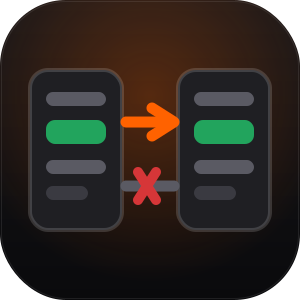
The gap it closes
monday’s mirror column shows a value but does not give you one — it is read-only, and automations cannot act on it.
Copying values between boards yourself sounds simple until board A writes to B, which fires B’s automation, which writes back to A. Left unguarded that melts an account and burns its action quota in minutes.
Cross-Board Sync copies real values, and treats loop prevention as the actual product.
How it works
Three steps, then it runs itself.
- 01
Match columns automatically
Columns are paired by title and checked for type compatibility, so setup is one step rather than a mapping table.
- 02
Sync only what actually changed
Values already matching are skipped — a no-op write still fires monday’s triggers, so not writing is what keeps the loop closed.
- 03
Create the counterpart if it is missing
Optionally create a matching item on the destination board when one does not exist yet.
How it behaves
The decisions that matter.
-
Two defences against the sync loop
Echo suppression means we never write a value that already matches. Origin stamping means an event caused by our own write is recognised and dropped.
-
Empty and zero stay different
Clearing a field genuinely clears the other side. Collapsing empty into 0 would leave stale data that looks correct — an unset budget must not sync across as $0.
-
Ambiguous mappings are refused
Two source columns writing one destination is rejected at setup, because which one wins would otherwise depend on event order.
-
Incompatible pairs are caught early
Type compatibility is validated when you configure the sync, not discovered at runtime.
Pricing
Free tier that actually works.
Billed per account through monday.com's built-in monetization — not per seat. The free tier is deliberately functional so the app can prove itself on a real board before you pay for it. Trials get full Pro.
Free
$0
Basic
$19/mo
Standard
$45/mo
Pro
$89/mo
Documentation & data handling
Everything it touches, stated plainly.
Installing & getting started
- Install Cross-Board Sync into your monday.com account and approve the permissions listed below.
- Open the board you want it on and add the app’s Automation block.
- Follow the three steps above. The free tier covers 1 sync pair — fully functional, between two boards, so you can prove it works before paying.
- Stuck? Email [email protected]. I reply within 24 hours.
Permissions, and why each one
me:read- Identify the installing account.
boards:read- Read both boards’ columns and the item values on each side to compare them.
boards:write- Apply changed values to the destination item — the core function of the app.
What is stored, and where
- The app stores only a short-lived marker recording that it made a write, used to recognise the resulting echo. It expires within seconds.
- No board data is retained. Values are read, compared, written and discarded within the request.
- The app runs entirely on monday code — monday.com’s own infrastructure. There is no external database.
Technical detail
- Version
- 1.0.0
- Hosting
- monday code (hosted on monday.com infrastructure)
- Runtime
- Node.js 18
- Authentication
- OAuth 2.0 + per-request JWT verification
- monday surfaces
- Automation block
- App ID
11809983- Support
- [email protected]
- Support SLA
- 24 hours
- Publisher
- Builds By Luke, Canada
Questions people ask.
Will this create an infinite loop?
No. We never write a value that already matches, and a change caused by our own write is recognised and ignored.
How are items matched across boards?
By exact item name. If no match exists, the counterpart can optionally be created.
What if the two boards have different column names?
Version one matches by title. Explicit manual mapping is on the roadmap.
Cross-Board Sync is on its way.
It is built and running — currently going through monday.com’s marketplace review. Want a look before it lands?